Water, one sip at a time
A lava-lamp bottle that tilts with your phone. Log a sip, a glass, or hold while you drink.
 QuickFit
Get the app
Free gym log · AI coach in Pro
One tap per set. A streak that respects your rest days. A coach that reads any exercise from a TikTok screenshot and tells you what weight to pick.
Free forever to log · 7-day trial on yearly Pro · Your data stays on your iPhone
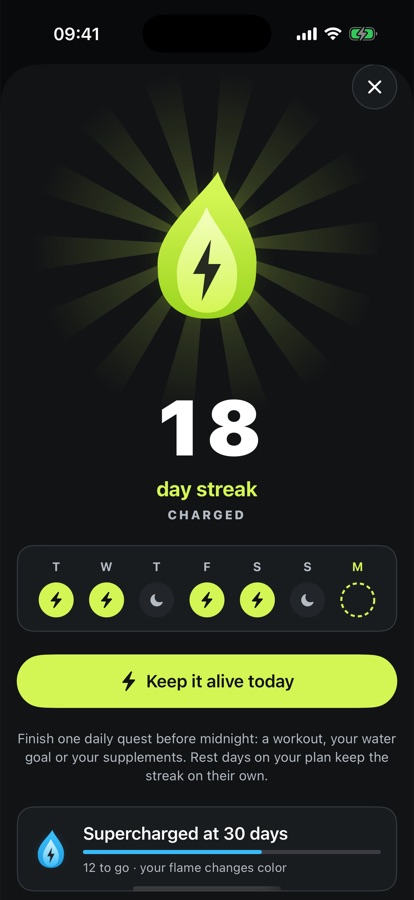
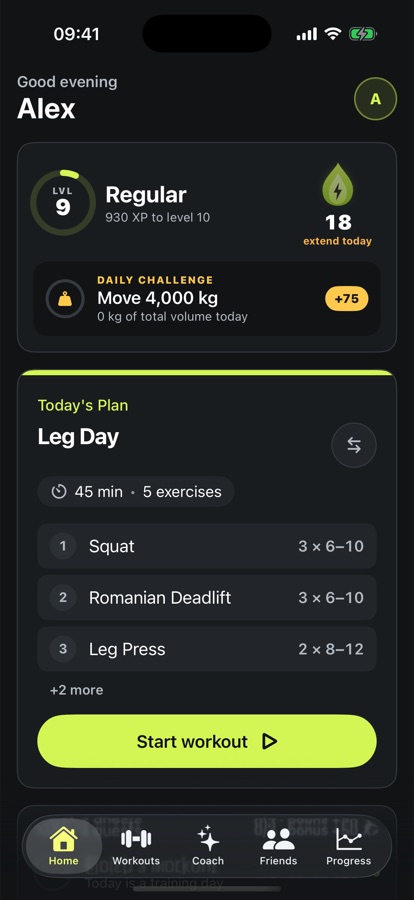
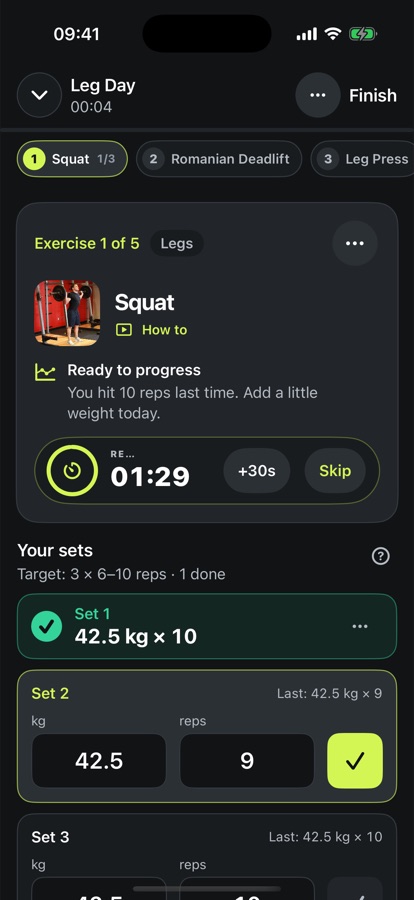
Most gym apps make you work for the log. QuickFit does the typing: last week's numbers are already there, your streak skips the rest days on your plan, and a coach in your pocket answers in your language at 6 am.
Logging
Weights and reps come from last time. Tap ✓ and the set turns green and locks, so you always know what's done. The rest timer rides on your Lock Screen and Apple Watch.
↑ Try it: tap a set
Photos, TikTok links and workout screenshots
QuickFit Pro
Screenshot a reel. Photograph a machine. Send your program from another app. The coach names the exercise, explains it, picks a weight from your history and adds it to your plan.
Motivation
Rest days on your plan keep the streak alive on their own. Skip a day you didn't plan and a freeze covers it. Your flame changes colour as you climb, from Spark to Legendary.
day streak
Tap days to set your training plan
Everything else
A lava-lamp bottle that tilts with your phone. Log a sip, a glass, or hold while you drink.
Scan a barcode or a label. Creatine inside your gainer counts. Reminders repeat until you tap Taken.
Log sets and run the rest timer from your wrist.
Rest countdown in the Dynamic Island. Streak and quests on your Home Screen.
Weight, sleep and heart rate inform the coach. Turn on Health in Garmin Connect and it just works.
One link and your friend has your routine. Send it in any chat.
See which muscles are ready and which still need a day, then train accordingly.
Workouts, weight and supplements live on your iPhone. Sign in only if you want friends, Pro or a cloud backup. No ads, no tracking, no selling data. Read the Privacy Policy.
Pricing
$0 forever
Everything you need to train.
$34.99 / year
About $2.92 a month · or $3.99 monthly
QuickFit Pro renews automatically through your Apple Account until cancelled. The free week is on the yearly plan only. Cancel anytime in Settings.
Yes. Logging, routines, plans, streaks, friends, water, supplements, widgets and Apple Watch are free with no limits. Pro adds the AI coach.
It receives your message and a short summary of your training to answer, and nothing is used to train models. See the Privacy Policy.
Yes, through Apple Health. In Garmin Connect, turn on Apple Health, then enable Sync with Apple Health in QuickFit.
On the yearly plan the trial turns into a paid year unless you cancel at least 24 hours before it ends. You can keep using the free features either way.
On your iPhone: Settings → your name → Subscriptions → QuickFit Pro → Cancel.
Sign in with Apple, tap Back up now, and restore on the new phone. Your Pro follows your Apple ID.